Which Presell Templates Are Available on AdsPages
AdsPages offers 11 presell templates. Which one to use is a decision that depends on your strategy — your product, the funnel stage, and how you want to present the offer. Support does not recommend a specific template for your offer; this article exists so you can choose with confidence.
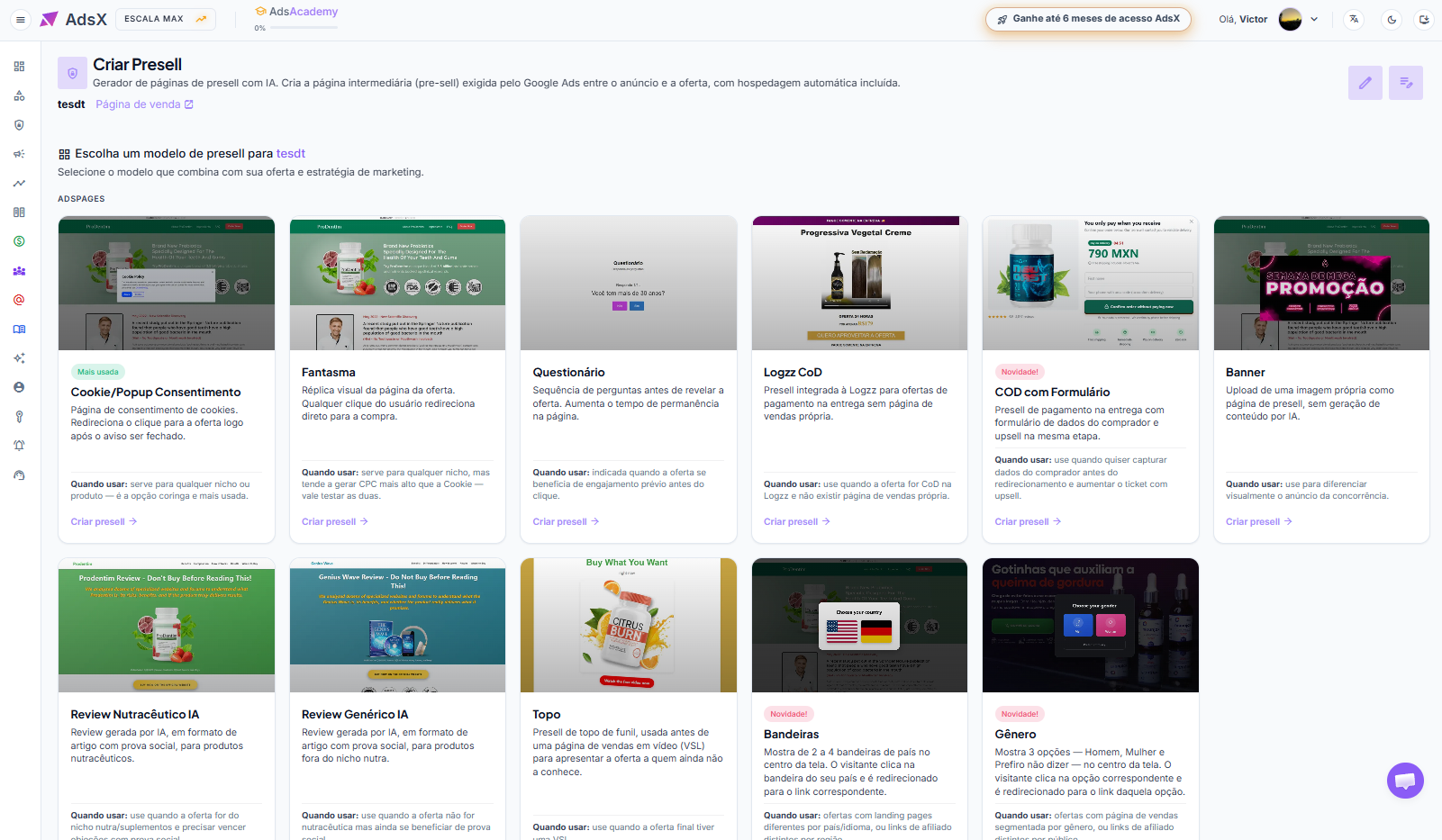
Cookie/Popup Consent
Cookie consent page. Redirects the click to the offer as soon as the notice is dismissed.
When to use: works for any niche or product — it's the all-purpose, most used option.
Ghost
Visual replica of the offer page. Any click takes the user straight to checkout.
When to use: works for any niche, but tends to cost more per click than Cookie — worth testing both.
Quiz
A sequence of questions before revealing the offer. Increases time spent on the page.
When to use: a good fit when the offer benefits from engagement before the click.
Logzz CoD
Presell integrated with Logzz for cash-on-delivery offers with no sales page of their own.
When to use: the offer is CoD on Logzz and there is no sales page available.
COD with Form
Cash-on-delivery presell with a buyer details form and an upsell in the same step.
When to use: you want to capture buyer details before the redirect and raise the ticket with an upsell.
Banner
Upload your own image as the presell page, with no AI-generated content.
When to use: to set your ad apart visually from the competition.
AI Nutraceutical Review
AI-generated review, in article format with social proof, for nutraceutical products.
When to use: the offer is in the nutra/supplements niche and needs social proof to overcome objections.
AI Generic Review
AI-generated review, in article format with social proof, for products outside the nutra niche.
When to use: the offer isn't nutraceutical but still benefits from social proof.
Top of Funnel
Top-of-funnel presell, used before a video sales letter (VSL) to introduce the offer to people who don't know it yet.
When to use: the final offer has a VSL.
Flags
Shows 2 to 4 country flags in the center of the screen. The visitor clicks their country's flag and is redirected to the matching link.
When to use: offers with different landing pages per country/language, or distinct affiliate links per region.
Gender
Shows 3 options — Man, Woman and Prefer not to say — in the center of the screen. The visitor clicks the matching option and is redirected to that option's link.
When to use: offers with a sales page segmented by gender, or distinct affiliate links per audience.
Where to choose it
Left side menu > Products > Start > Presell > Create presell > pick the template. Full walkthrough: How to Create a Presell
Updated on: 09/10/2026
Thank you!