How to obtain the necessary values for AdCombo COD form presells
The COD with Form pre-sell for AdCombo asks for four values that live in your network panel. This article shows where each one is.
API key
Click your name in the top right corner and choose Account settings.
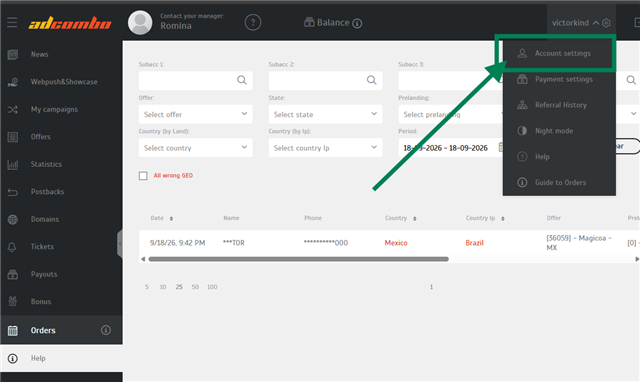
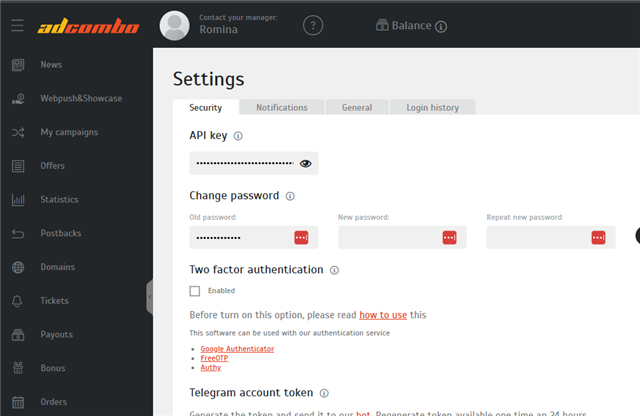
On the Security tab, the API key is hidden. Click the eye to reveal it.
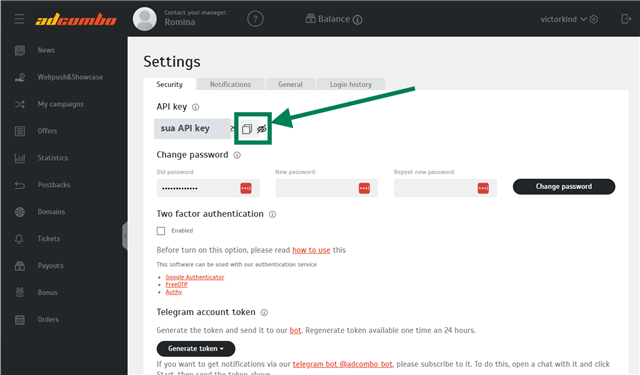
With the key visible, copy it using the button next to it.
Treat this key like a password. It gives access to your account on the network — never share it.
Campaign code
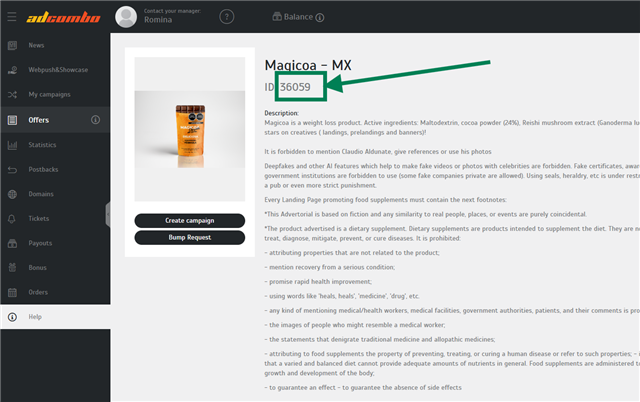
Go to Offers and open the offer you promote. The campaign code is the ID shown right below its name.
Offer country
It is in the offer name itself: in Magicoa – MX, the country is Mexico. Each AdCombo offer belongs to one country, and it is against that country that the network checks the buyer's phone — which is why the form asks for it.
Affiliate link
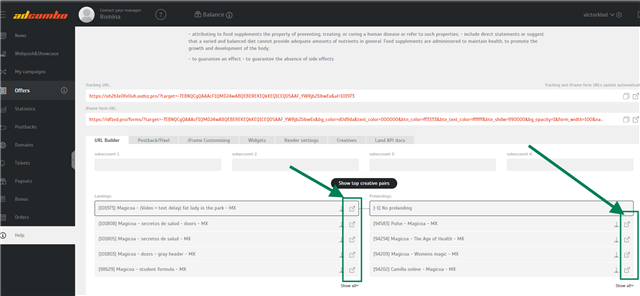
On the same offer page, scroll to Tracking URL and copy the link with the button on the right. That link is what takes the visitor to the offer after the order.
Amount with currency
This is the price the buyer sees on the page, in the format of the offer's country — for example 890 MXN for Mexico. Use the same price shown on the offer's landing page, so the visitor doesn't run into a different amount later.
Where these values go
In AdsX, go to Products, click Start on the product row, then Create presell, pick COD with Form and then AdCombo. The form asks, in this order: API Token (the key), Campaign Code (the offer ID), Offer country, Your Affiliate Link and Amount with currency.
Tips
- Changed your API key on AdCombo? Create the pre-sell again. A published page keeps the details it was created with.
- The campaign code only accepts numbers. It is the offer ID, not its name.
- The phone must match the offer country. A number from another country is rejected by AdCombo when the order is placed.
Updated on: 09/10/2026
Thank you!